College & career kiosks for high schools and their college, military, trade & employer partners contact@13th-year.com(279) 239-3377
For School Partners

High School Partner Toolkit

Make every day with the Student Pathway System™ count

++
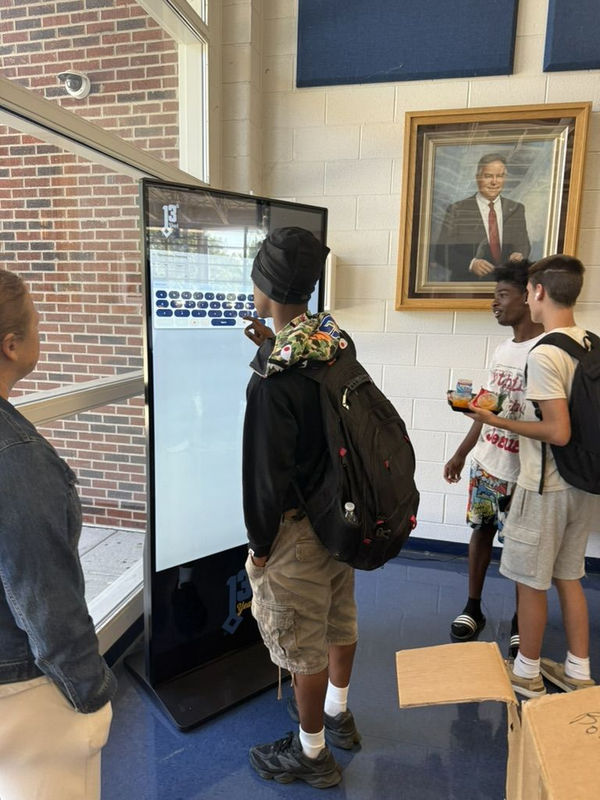
A student exploring options on a 13th Year kiosk in the school libraryTwo students exploring options together on the kioskA student using the 13th Year kiosk in the library
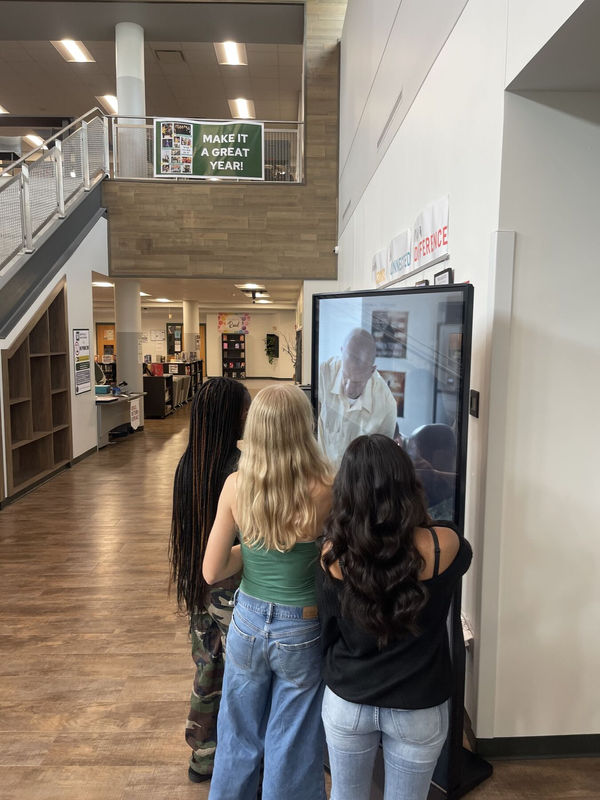
Three students watching a video together on a 13th Year kiosk in their school hallwayA counselor and students exploring the 13th Year kiosk together
A staff member and students at a 13th Year kiosk

Everything your counseling team needs to launch the 13th Year™ kiosk, keep it fresh all year and answer questions from students, staff and families. Add your school’s details once and every template below fills in for you.

Start here

Personalize the toolkit

Type your details once. Every template on this page updates instantly, so you can copy and send without editing. Nothing you enter leaves this browser.

Highlighted words such as [School Name] are still waiting for your details.
Students using the 13th Year kiosk together
Launch checklist

Your first 30 days

Seven steps that help students, families and staff find the kiosk quickly. Check off each one as your team completes it. Progress is saved in this browser.

0 of 7 complete
Spread the word

Introduce 13th Year™ to your community

Schools that announce the kiosk see students engage sooner. Students learn what it is, families learn why it matters and staff know where to send students with questions.

Read aloud · about 40 seconds

Good morning, [School Name]! You may have noticed the new 13th Year kiosk in the [kiosk location]. It is a touch screen where you can explore colleges, trade and technical programs, military service, careers and scholarships, all in one place.

Stop by before school, at lunch or after school and look around at your own pace. When something interests you, you can choose to connect with that school or program right from the screen. While you are there, apply for the 13th Year Scholarship. It only takes a few minutes.

Questions about what you find? Visit the [counseling office]. We are here to help you plan what comes next.

Make it stick
  • Read it on launch day and again one week later.
  • Add it to your video announcements with a shot of the kiosk.
  • Ask teachers of advisory or homeroom to repeat it.
Short version for a slide or screen

New this year: explore colleges, trades, military service and careers at the 13th Year kiosk in the [kiosk location].

13th Year™ Pathway Scholarship

Make sure every student has the chance to apply for the 13th Year™ Scholarship

Every student at your school can apply, and the scholarship is often the reason students try the kiosk for the first time. A few reminders from your team help make sure no one misses the chance.

0days left

Fall 2026 application deadline: November 20, 2026

Students apply right at the kiosk or through an approved school link. Now is the time to send a reminder in announcements and on social media.

$1,000

For your students every year

Every partner high school receives $1,000 a year in dedicated scholarships for its students.

$3,000

Network wide award

Students who apply are also eligible for one Top 13th Year™ award selected from across the network.

Free

No purchase, ever

Applying is free, and choosing to connect with a partner never changes a student's chances.

What your team can do

  • Read the scholarship announcement two weeks and two days before the deadline.
  • Share the scholarship social post and the kiosk location.
  • Let students know there is a free way to apply that does not depend on the kiosk.

What 13th Year™ may ask your school

  • Before an award is final, 13th Year may ask an authorized staff member to confirm only what is needed for eligibility, such as enrollment.
  • 13th Year never asks for grades, discipline records or disability information.
  • Schools do not choose recipients, and a school that cannot share information does not disqualify a student.

Full details are in the official scholarship rules.

For your counselors

Your school's space on the kiosk

The kiosk reserves room for your school. Use it for anything your students should see, from FAFSA nights and college fairs to bell schedules, athletics and fundraisers, so the kiosk becomes the place students check every day.

What you can share on the kiosk

  • FAFSA and financial aid nights
  • College, career and job fairs
  • College representative and recruiter visits
  • Local and state scholarship deadlines
  • Dual credit, CTE and career pathway programs
  • Internships, apprenticeships and job shadows
  • Counselor office hours and senior meetings
  • Course registration and academic planning
  • Student wellness and support resources
  • Bell schedules and schedule changes
  • Athletics, games and spirit events
  • Clubs, activities and performances
  • Fundraisers and school drives
  • School news, celebrations and lunch menus
  • Parent nights and family events
Ready to share something?

Log in to the 13th Year™ Partner Portal to upload your slides and videos and choose when they run on your kiosk.

Log in to the Partner Portal
Seniors & families FAFSA Night Thursday, October 15
6:00 to 8:00 PM
Library
Questions? Visit the [counseling office]

Design for a ten second glance

Each slide appears for about 10 to 20 seconds in a rotation that repeats throughout the day. Students should understand it while walking past.

  1. One message per slidePromote one event or one idea. Make a second slide for the next one.
  2. Headlines under seven wordsUse bold, readable fonts and keep text large enough to read from across the hall.
  3. When, where, whoAlways include the date, time, location and who should attend.
  4. Your name and logo at the topStudents passing by should know right away that the message comes from your school.
  5. High contrast, little clutterUse colors that stand out on screen and avoid text over busy photos.
  6. One clear next stepEnd with a simple instruction such as "Sign up in the [counseling office]."

Ready to submit? Upload your finished slide or video in the 13th Year™ Partner Portal with the date it should start and the date it should come down. Need a hand? Email contact@13th-year.com.

Kiosk specs

Size2160 x 3840 pixels, portrait (9:16)
ImagesPNG, JPEG or JPG
VideoMP4, MOV or MPEG, 15 to 20 seconds, 1080p minimum, 4K recommended
SoundNo audio, since the kiosk plays silently. Subtitles are welcome.

Include a start and end date for each piece. We recommend two new pieces each month, either rotated together or swapped mid month.

Kiosk content plan

Ideas for every month of the school year. Pick a month to plan your next slides, then add it to your calendar as a yearly reminder.

Pathways: CollegeTradesMilitaryCareersSchool support
Fairs & events

Promote college fairs and career events

The kiosk builds excitement before an event, helps students register early and welcomes families on the day. Here is a simple plan to follow.

  1. Three weeks before

    Announce it

    Send a save the date slide with the event name, date, time and location.

  2. One to two weeks before

    Show who is coming

    Feature the colleges, branches, trade programs and employers attending, plus how to register.

  3. Event day

    Welcome guests

    Swap in a welcome slide with a map and schedule for students and families.

  4. The week after

    Keep it going

    Thank attendees and point students to the kiosk to keep exploring the programs they met.

Know a college, branch or employer who should be on the kiosk?

Representatives who visit your school can reach your students every day as 13th Year™ partners. Partners help fund the 13th Year Scholarship for students at partner high schools, so every referral strengthens the network that supports your students.

Introduction email

Introduce them to 13th Year™

Tell us who you are reaching out to and the email writes itself, using your details from Personalize the toolkit. Copy it, or open it in your email with the 13th Year™ team already copied so we can follow up.

Who are you introducing?
Ready to send
Open in email

Copying instead? Add contact@13th-year.com to the CC line so the 13th Year™ team can help them get started.

Kiosk care

Kiosk care and quick fixes

13th Year™ installs and maintains the kiosk, so there is nothing for your staff to manage. If something looks wrong, these steps solve most issues in a few minutes.

Placement that works

The best spots are where students already gather: main commons, cafeterias, busy hallways and outside the counseling office. Choose a location near a power outlet, away from strong window glare, with room for a few students to stand without blocking traffic.

Cleaning, once a month

Spray a gentle screen cleaner onto a soft microfiber cloth, never directly on the screen, and wipe in one direction. Avoid paper towels and cleaners with ammonia or bleach. Dust the top and back of the kiosk.

Keep it plugged in

Custodial staff sometimes unplug the kiosk to use the outlet. A printed sign prevents most outages.

What is happening with the kiosk?

Safe, secure & mission aligned

Privacy answers for families and administrators

Student safety and privacy come first. Use these answers when a parent, principal or district office asks how the kiosk works.

Does the kiosk track students?

No. 13th Year™ does not passively track students who walk by or view content. Information is collected only when a student chooses to submit a scholarship application, interest form or follow up request.

Is student data sold?

No. Student data is never sold. Students decide which colleges or organizations, if any, they want to hear from.

Does 13th Year™ connect to our student information system?

No. 13th Year™ does not require integration with, or access to, a high school's student information system.

Do students need an account or password?

No. There are no logins or passwords for students to manage.

Who decides what appears on the kiosk?

All messages from college and career partners are reviewed against strict educational and editorial guidelines, so content is appropriate, accurate and aligned with the school environment. Your counseling team also has its own space for school content.

Is the kiosk FERPA compliant?

The platform is FERPA aligned and designed to complement, not complicate, your school's compliance obligations. Access to the system is limited to authorized school and 13th Year™ personnel.

What does it cost our school?

Nothing. 13th Year™ installs and supports the kiosk at no cost to the school, funded by its college and career partners.

Short answer for families

The 13th Year kiosk at [School Name] does not track students or require a login. Students share information only when they choose to apply for a scholarship or ask a college or program to contact them, and student data is never sold. Questions? Contact the [counseling office].

Let's talk

Support from the 13th Year™ team

Questions about your kiosk, your content or the scholarship? The team is ready to help.

Email

contact@13th-year.com

Slides, scholarship questions and general help.

Phone

(279) 239-3377

For a kiosk that is down or anything urgent.

Report a kiosk issue

Start a report

Opens an email with your school details filled in.